
I wanted to give my students a formative assessment while providing remediation all at the same time?
Is that even possible?
It is!!
Do you know those Choose Your Own Adventure books?
My brother and I loved those books when we were kids!
Are those even still around?
I haven't seen one in forever.

Is that even possible?
It is!!
Do you know those Choose Your Own Adventure books?
My brother and I loved those books when we were kids!
Are those even still around?
I haven't seen one in forever.

These books allowed you to determine what happened next in the story based on your decisions of what characters should do at critical points in the story.
You can take this same basic concept to create individualized learning activities for your students using Google Forms.
I made my first one a few weeks ago and I'm here to tell you I will be making more.
I've seen some fancy ones out there and compared to those mine was very simple and not very impressive.
But it worked for my students so I'm calling it a success.
I'll get a little fancier with the next one.

So let me give you a little background as to the purpose of my activity and then I'll tell you how I created it.
My students were reviewing for their assessment on proportional relationships. Our big ideas for the unit were using tables, graphs, and equations to determine if a relationship between two quantities was proportional or not.
I wanted to be able to do a formative assessment on those three big ideas all while giving students support if they needed it.
Using the branching feature in Google Forms I was able to do just that.
Want to learn how to make your own?
Keep reading and I'll show you.
Branching is how you create multiple paths within one Form.
For my review activity I used branches to allow students to skip from one big idea to another if they answered questions correctly.
If they missed a question they were taken to a video that retaught the big idea and then were given another chance to answer a question about the big idea.
I think they really enjoyed being able to work and learn at their own pace.
So let's get started creating your own.
First, create a new Google Form.
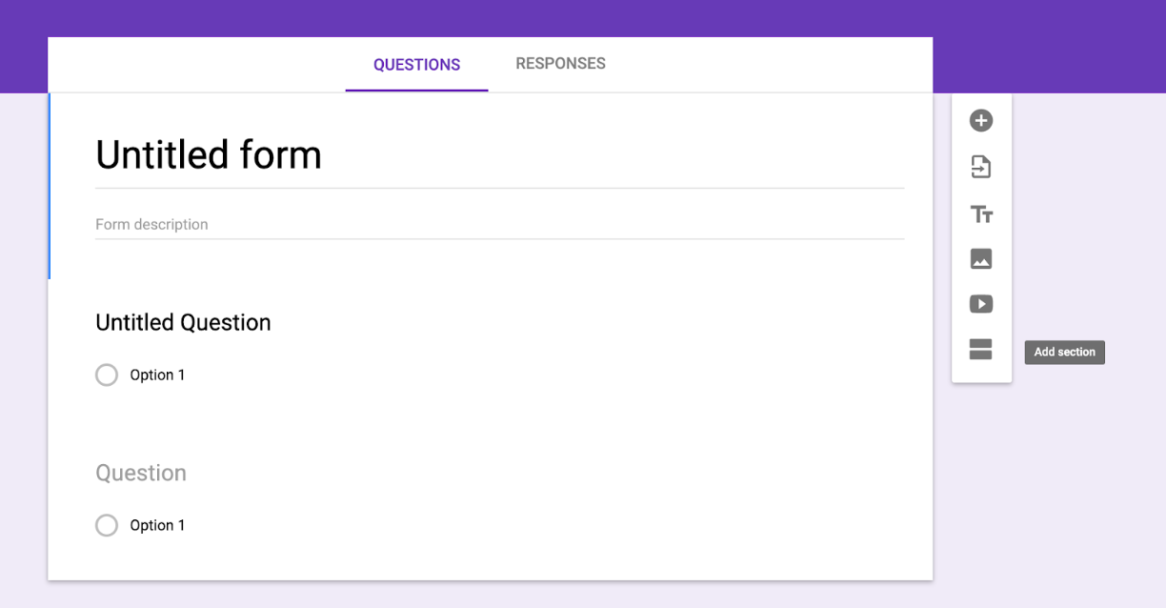
Next select the "Add section" option. Once you have added a new section you will have two different ways of moving from section to section.
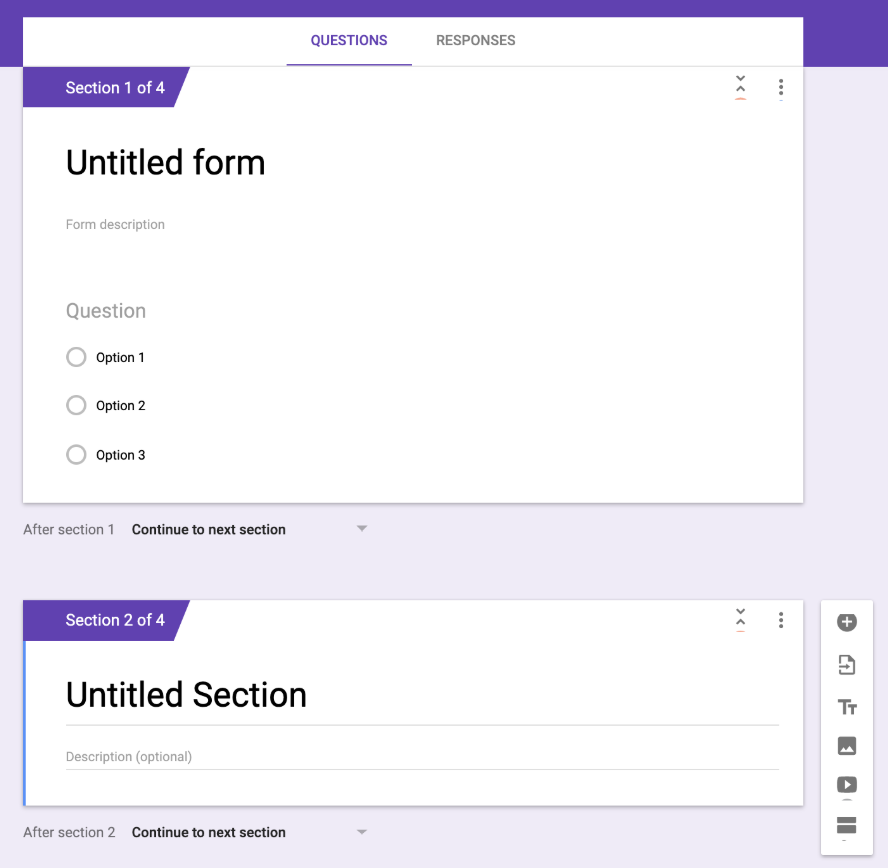
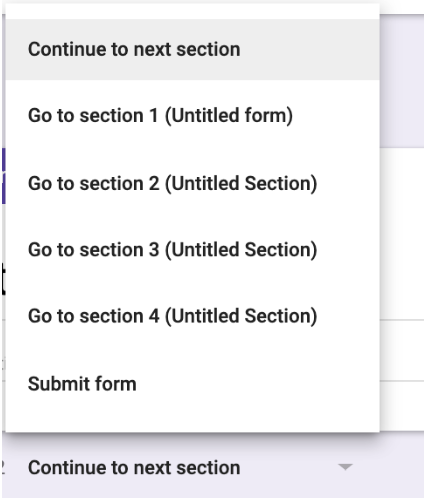
The first option is send your students from one section to another with the branching options as shown below.
The second option and the one I used is to send students to a section based on their answer. You can see how to choose this option in the picture below.
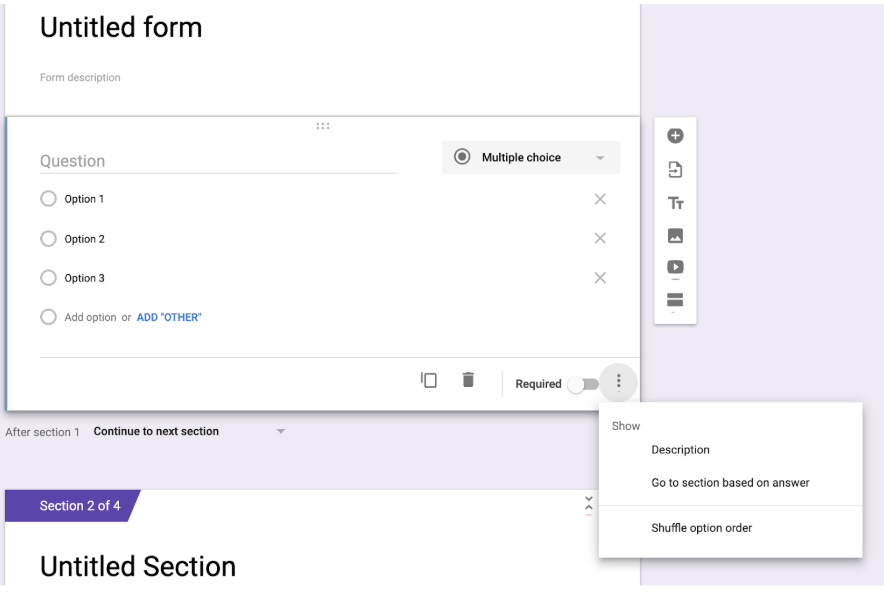
After you have chosen this option a new menu will appear on each question allowing you to send students to different sections based on their answer.
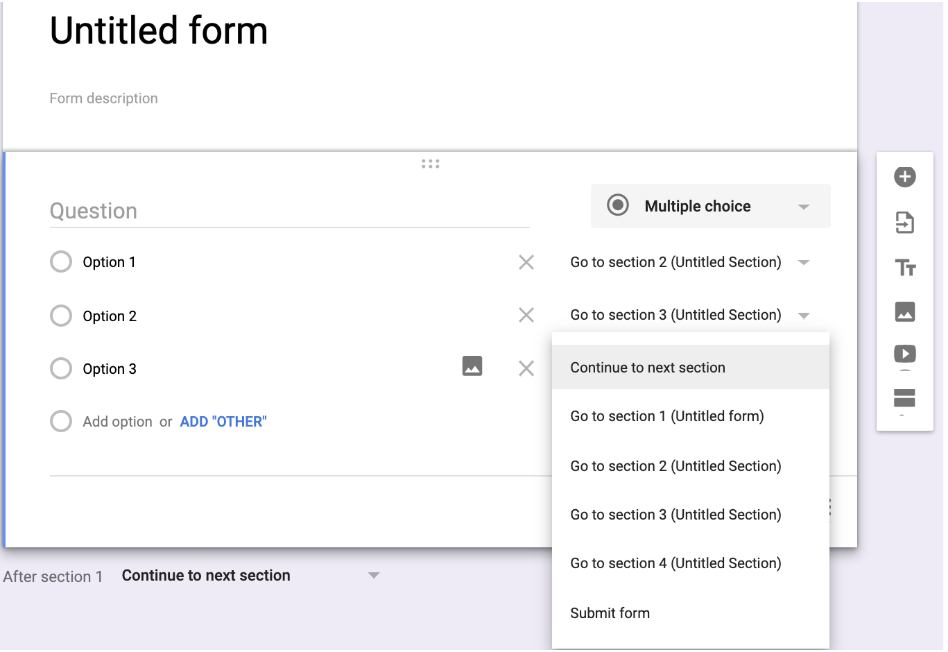
It's that easy.
Of course depending on how many sections you create it can become a little more intricate.
I found that for me it was helpful to write out my plan on paper before trying to create the Form and all the different sections and branches.
For example...
Section 1: Is the table proportional?
Section 2: Video Help #1
Section 3: Attempt #2
Section 4: Video Help #2
Section 5: Attempt #3
Section 6: Is the graph proportional?
On this form I gave students three attempts for each big idea. They were three different questions, but were all the same time of question.
I set the third attempt to have response validation. This requires students input the correct answer before being allowed to move on.
If students got to that third attempt and couldn't figure out the right answer I was able to reteach them one on one or in a small group.
I hope this makes sense.
If you have any questions please send me an email or leave a comment with your question.
Let's chat again soon!


